What you get: an elf video that is really you
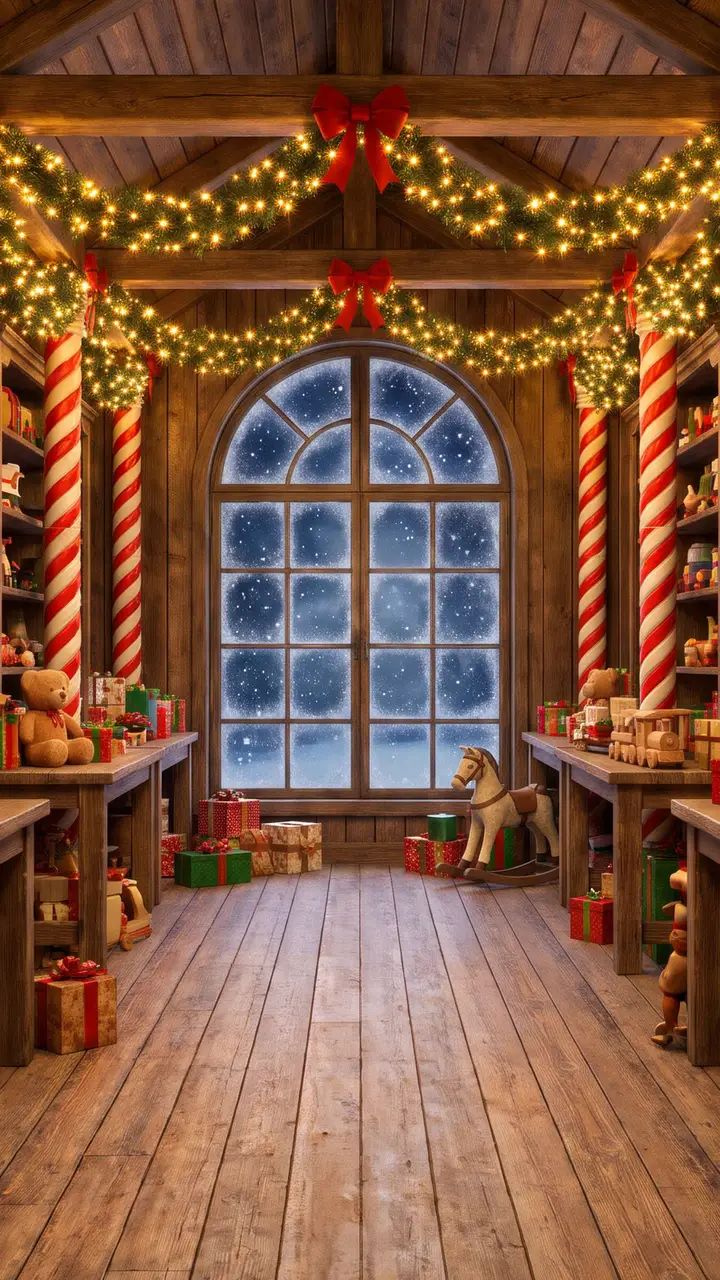
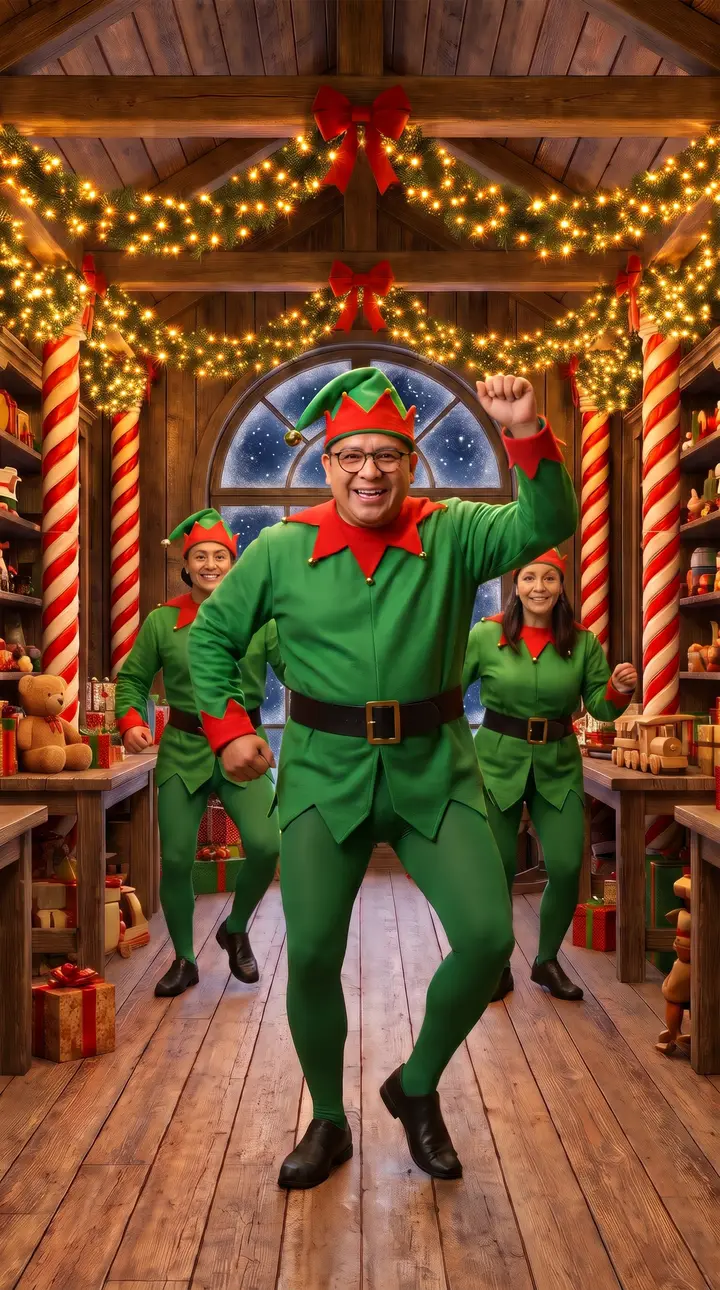
Most elf video makers paste a cut-out face onto a cartoon body. This one keeps the whole person from your photo, with their face, hair, skin tone and smile, dresses them as an elf and builds a real-looking scene around them: candy-cane pillars, garlands of warm lights, shelves of wooden toys and snow falling past a frosted window. Then it turns that scene into a short elf dance video with sound.
- The look: a bright green elf suit with a pointed red collar and a black belt, and a pointed elf hat with a bell on the tip, with no text or logos.
- The crew: two backup elves dance behind you. Leave them as they are, or cast them from up to two more photos.
- The dance and the song: a bouncy elf dance and an original holiday rap over sleigh bells, jingle percussion and handclaps.
- The lyrics: "Bells on my hat and a bounce in my feet, Santa took a break, so the elves run the beat, wrap it up, stack it up, toys on the line, elf crew dancing, it's Christmas time."
- The file: an MP4, vertical 9:16, 768 × 1344 pixels, 10 seconds, with no watermark.
How the elf video is made
Every elf video starts from the same empty workshop. First the AI places the person from your photo in the middle of the floor, dresses them as the lead elf and keeps their face as it is. If you added family photos, a second step recasts the two backup elves with those people. Then the still becomes a 10-second video: the crew dances, the camera moves in on the lead elf, and the lead raps the verse with their lips in time to the beat, in one continuous shot.
Upload your photo
A selfie or a half-body shot with one person in it. The face should be clear, uncovered and roughly facing the camera. This person becomes the lead elf.
Add your family, if you like
Under your photo, add up to two more photos for the elves on the left and on the right. It costs the same.
Press the button and send it
The elf stage is already chosen on this page. One video costs 10 credits, and a failed video returns them. Download the MP4 and post or send it anywhere.
Put your whole family in the elf video
An elf video gets funnier with every face you know in it. Put the most serious person in the family up front as the lead elf, then cast a partner, a sibling or a grandparent as the backup elves. Each photo should show one adult who has agreed to be in the video. The backup elves stay a little smaller and behind the lead, so the first photo matters most. With only one photo, the two elves behind you are generated by the AI.
Elf video ideas
- The family group chat. Three generations of elves in one video, posted the day the tree goes up.
- A video holiday card. Send it instead of a photo card to friends and family who live far away.
- The office party. With their OK, the team lead dances up front and two managers back them up.
- Couples. You lead and they back you up, then swap and make a second one.
- Holiday reels. The elf video is already vertical and short, so it fits TikTok, Instagram Reels and YouTube Shorts as it is.
Photo tips for the best elf video
The photos are the only thing you choose, so they decide most of the result. Use a recent photo with one person, in even light, without sunglasses, a mask or a hand across the face. Glasses usually stay on. A phone in the hand is fine, because the AI frees the hands for the dance. Use the same kind of photo for the backup elves. A face that is small in the photo, like a full-body shot from far away, can fail the photo check, so crop closer if it does.
Elf video maker, AI elf dance or ElfYourself?
People look for this in different ways: an elf video maker or an elf video generator for a quick holiday greeting, an elf dance video or a dancing elf video with their own face, the AI elf dance trend from TikTok, or ElfYourself, the long-running holiday app that puts faces on animated elves and offers dozens of dances. This page does one routine in a different way: the whole person becomes a photoreal elf in a real-looking workshop, the lead elf raps an original verse, and it all runs in the browser with nothing to install.
Want a different scene? The Christmas rap video puts you by a lit tree in a Santa hat, the Tiny Desk AI stage puts you in front of a soul band, and the AI rap video generator on the homepage has birthday, night street, studio and other stages.
Elf video maker FAQ
How do I make an elf video from a photo?
Upload one clear, front-facing photo in the elf video maker on this page and press the button. The person in the photo becomes the lead elf in a green elf suit in Santa's workshop, dances with two backup elves and raps an original holiday verse. The vertical video is usually ready in 5 to 10 minutes.
Is the elf video maker free?
No. A video costs 10 credits. The smallest pack is $4.99 for one video, larger packs bring the price per video down, there is no subscription and credits never expire. If a video fails, its credits are returned.
Can I put my family in the elf video?
Yes. Under your photo, add up to two more photos, one for the elf on the left and one for the elf on the right. They become the backup dancers behind you. The price stays the same: 10 credits whether the video has one photo or three.
Is this the same as ElfYourself?
No. ElfYourself is a separate holiday app that puts faces on animated elves, and AI Rap Video is not affiliated with it. Here the AI keeps the whole person, not a cut-out face, dresses them as an elf in a real-looking workshop and has the lead elf rap an original song.
Do I need to install an app?
No. The elf video maker runs in the browser on a phone or a computer. You upload the photos, wait a few minutes and download the MP4.
How long is the elf video, and can I post it on TikTok or Reels?
10 seconds, vertical 9:16 at 768 × 1344 pixels, with no watermark, so it fits TikTok, Instagram Reels and YouTube Shorts as it is.
Who raps in the video?
The lead elf, the person in your first photo. The beat, the voice and the video are generated together, and the voice follows the person in the frame. The backup elves dance along.
Can I pick the song or write my own lyrics?
Not yet. Every elf video uses the same original verse and beat, which keeps the price at 10 credits a video and the result reliable. If you want a trending sound, post the video and add the sound inside TikTok or Instagram from their licensed library.
Whose photos can I use?
Your own, or photos of adults who have agreed to it. You confirm that before the video starts, and every photo goes through a safety check.