What you get: a personalized Christmas video in 10 seconds
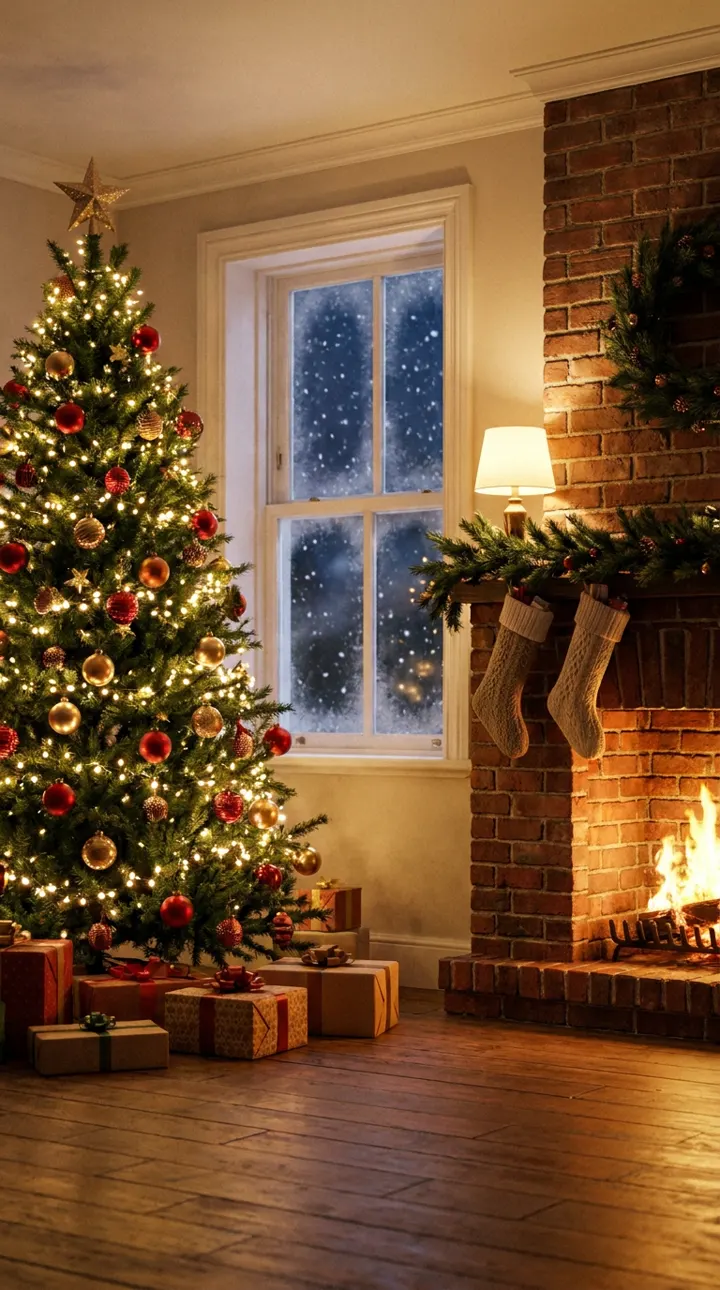
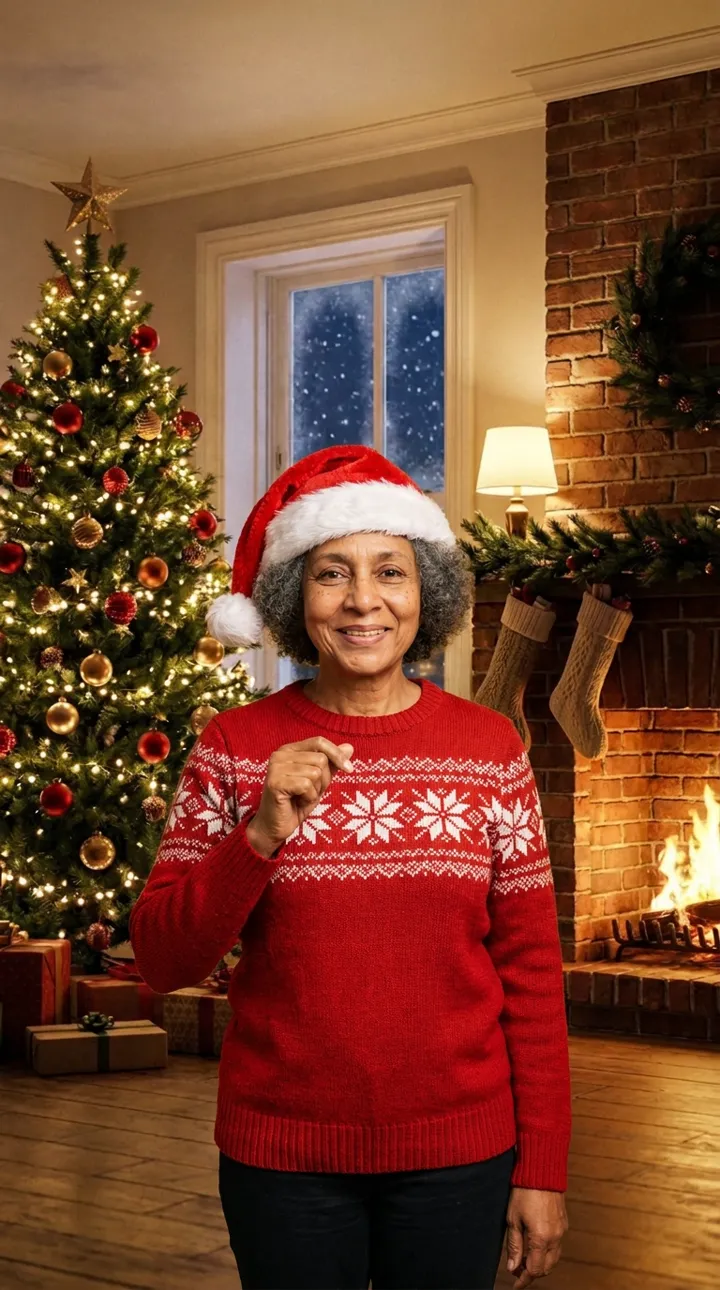
Most Christmas video makers give you a card with a photo on it, or an elf with your face pasted on. This is different. The AI keeps the person from your photo as they are, with their face, hair, skin tone and smile, and builds a real scene around them: a cozy living room on Christmas Eve, warm tree lights, stockings on the fireplace and snow falling outside the window. Then it animates that scene into a short music video with sound.
- The look: a Santa hat and a red knit sweater with a white snowflake pattern, with no text or logos.
- The song: an original Christmas rap over an upbeat beat with sleigh bells, warm piano and a deep bassline.
- The lyrics: "Snow on the roof and the lights on the tree, Santa's running late so the stage is on me, cocoa in the cup and the presents stacked high, Merry Christmas, everybody, let it fly."
- The file: an MP4, vertical 9:16, 768 × 1344 pixels, with no watermark.
How the AI Christmas video is made
Every video is made in two steps from the same empty stage. First the AI places the person from your photo in the living room and dresses them for Christmas, keeping their face exactly as it is. Then it turns that still into a 10-second video in which they sing the lyrics, with their lips moving in time to the beat, in one continuous shot.
Upload one photo
A selfie or a half-body shot with one person in it. The face should be clear, uncovered and roughly facing the camera.
Press the button
The Christmas stage is already chosen on this page. One video costs 10 credits, and a failed video returns them.
Download and send
The video is usually ready in 5 to 8 minutes. Download it, keep it, and post or send it anywhere.
Christmas rap video ideas
- The family group chat. Make one for each grandparent and post them on Christmas morning. The more serious the person, the better it lands.
- A video Christmas card. Send a personalized Christmas video instead of a photo card to friends who live far away.
- The office party. With their OK, turn the team lead into the opening act of the holiday party, or reveal your Secret Santa with a rap.
- Couples and friends. One video for you and one for them, posted side by side as a story.
- Holiday reels. The video is already vertical and short, so it fits TikTok, Instagram Reels and YouTube Shorts as it is.
Photo tips for the best Christmas video
The photo is the only thing you choose, so it decides most of the result. Use a recent photo with one person, in even light, without sunglasses, a mask or a hand across the face. A phone in the hand is fine: the AI frees the hands so they can gesture on the beat. A photo where the face is small, like a full-body shot from far away, can fail the photo check, so crop closer if it does.
Christmas rap, Christmas song or Christmas video?
People search for this in different ways: an AI Christmas video of someone they know, a Christmas video maker for a quick greeting, a personalized Christmas video for family, an AI Christmas song about a friend, or simply a Christmas rap to laugh at. This tool sits where they meet: a short, funny Christmas rap performed on video by someone you know.
Want a different scene? The AI rap video generator on the homepage has birthday, night street, studio and other stages, and the Tiny Desk AI stage puts you in front of a soul band.
Frequently asked questions
How do I make an AI Christmas video from a photo?
Upload one clear, front-facing photo in the workbench on this page and press the button. The person in the photo is dressed in a Santa hat and a red Christmas sweater, placed in a living room on Christmas Eve, and raps an original Christmas song to camera. The vertical video is usually ready in 5 to 8 minutes.
How long is the Christmas rap video?
10 seconds, vertical 9:16 at 768 × 1344 pixels. That is long enough for four rapped lines and short enough to watch to the end in a group chat or a story.
Who sings in the video?
The person in your photo. The song, the beat and the voice are generated together with the video, and the voice follows the person in the frame. There is no voice to pick and no microphone in the scene.
Can I write my own Christmas rap lyrics?
Not yet. Every Christmas video uses the same original four lines, about snow on the roof, a late Santa and presents stacked high. Fixed lyrics are what keep the price at one video for 10 credits and the result reliable.
Is this a personalized Christmas video I can send to family?
Yes. It is personal because it is their face, their hair and their smile in the scene, not a cartoon or an avatar. Download the MP4 and send it in any chat, or post it as a story or a reel. There is no watermark.
How much does it cost?
10 credits a video. The smallest pack is $4.99 for one video, larger packs bring the price per video down, and there is no subscription. If a video fails, its credits are returned.
Whose photo can I use?
Your own, or a photo of an adult who has agreed to it. You confirm that before the video starts, and every photo goes through a safety check.
Is this an AI Christmas song generator?
Partly. It makes a Christmas song and the video of someone performing it in one step. If you only want audio, this is not the right tool; if you want to see a friend or a grandparent rapping by the Christmas tree, it is.